

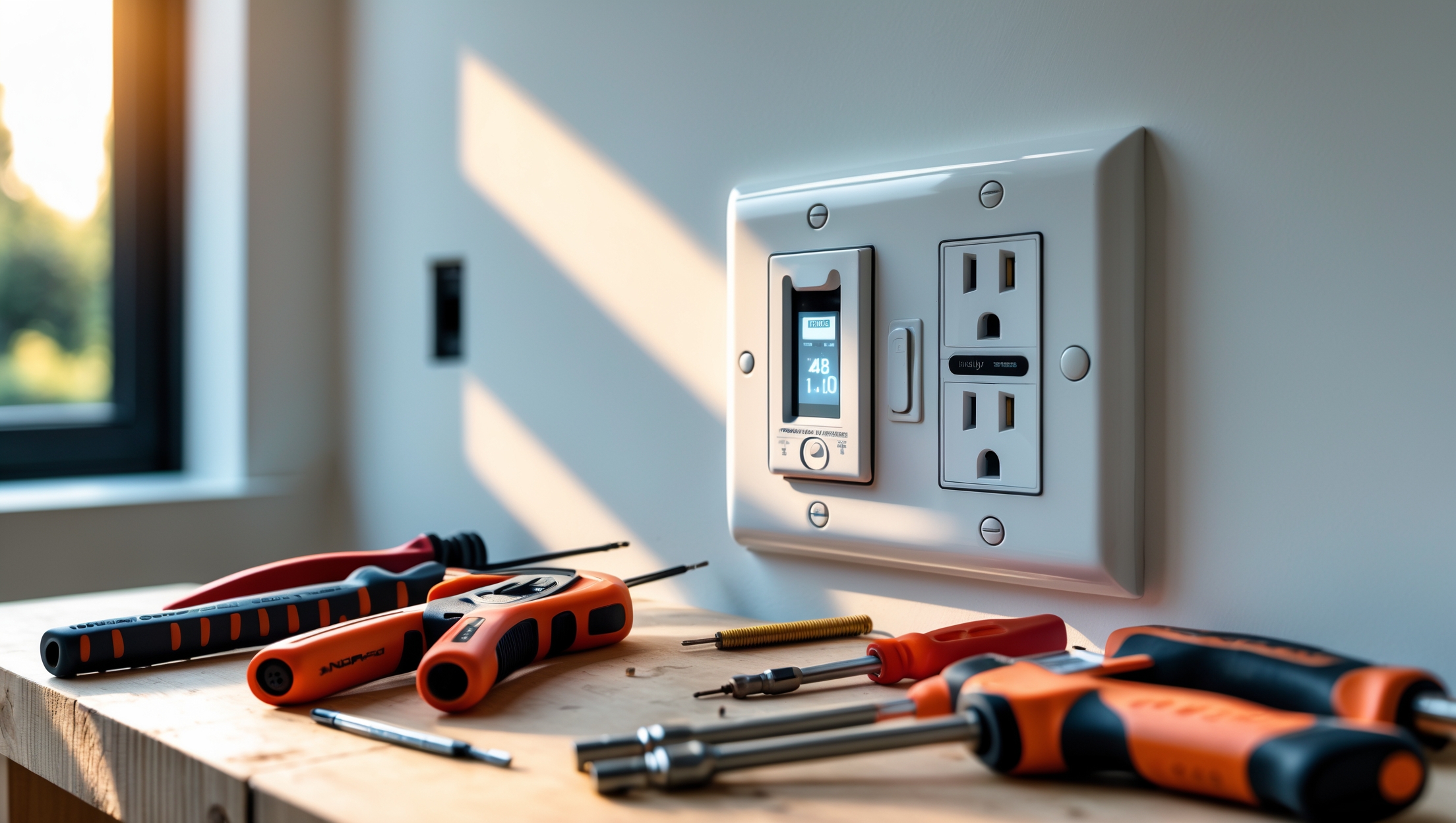
Introduction: Why Upgrading Electrical Outlets Matters
Electrical outlets are the silent workhorses of every home, powering everything from kitchen appliances to phone chargers. Yet, they’re often overlooked until something goes wrong—or until a new device doesn’t quite fit. As technology advances, older outlets may no longer meet the demands of modern living. Upgrading your home’s electrical outlets is about more than convenience; it’s about safety, compliance with current codes, and enabling smart home features that can simplify daily life. Whether you’re dealing with two-prong outlets, concerned about child safety, or interested in integrating USB ports and smart controls, a strategic upgrade can boost your home’s value and functionality while reducing fire and shock hazards.
This comprehensive guide covers everything homeowners need to know before embarking on an outlet upgrade. We’ll break down safety essentials, compliance requirements, budgeting, and step-by-step installation tips. Additionally, we’ll review popular smart outlet features, common pitfalls to avoid, and maintenance best practices. By the end, you’ll have the confidence to plan or execute your own upgrade, or to communicate knowledgeably with contractors if you decide to hire out the job.
Types of Outlets: What’s Available and Why It Matters
Standard Outlets
Most homes built before 2000 feature standard 120-volt, 15-amp outlets, typically with two vertical slots and a round grounding hole. These work for everyday appliances but lack advanced safety or charging features. If your home still has two-prong (ungrounded) outlets, upgrading is a must for both safety and code compliance.
GFCI Outlets
Ground Fault Circuit Interrupter (GFCI) outlets are required by code in kitchens, bathrooms, laundry rooms, basements, garages, and outdoor locations. They prevent electrical shock by quickly shutting off power if an imbalance is detected. Upgrading to GFCIs in wet or damp areas is both a safety imperative and a legal requirement in most jurisdictions.
AFCI Outlets
Arc Fault Circuit Interrupter (AFCI) outlets protect against electrical fires caused by arcing (sparks) in wiring. Newer codes require AFCI protection in bedrooms and living spaces. If your home is older, consider updating circuits to include AFCI outlets or breakers.
USB and Smart Outlets
Modern outlets can include built-in USB-A and USB-C ports for direct device charging, eliminating bulky adapters. Smart outlets allow remote control via Wi-Fi or Bluetooth, energy monitoring, and even voice assistant integration. These upgrades offer both convenience and improved energy management.
Tamper-Resistant Outlets
Required in new construction, tamper-resistant (TR) outlets feature internal shutters to prevent foreign objects from being inserted. If you have children, upgrading to TR outlets throughout your home is a straightforward way to improve safety.
Safety First: Precautions Before You Start
- Turn Off Power: Always shut off power at the breaker panel before working on any outlet. Use a circuit tester to confirm zero voltage at the outlet.
- Check for Aluminum Wiring: Homes built from the mid-1960s to mid-1970s may have aluminum wiring, which requires special connectors and outlets rated for aluminum compatibility. If you find aluminum wires, consult a licensed electrician.
- Use Proper Tools: Essential tools include a voltage tester, insulated screwdrivers, wire strippers, needle-nose pliers, and electrical tape. Quality tools reduce the risk of accidents and faulty connections.
- Personal Protective Equipment: Always wear safety glasses and insulated gloves. Avoid working on electrical systems in wet or damp conditions.
- Don’t Overload Circuits: Replacing outlets won’t increase circuit capacity. If you need more power, consult an electrician about upgrading the wiring or adding circuits.
Understanding Compliance: Permits, Codes, and Inspections
When Is a Permit Required?
Most municipalities require a permit for electrical work, especially if you are adding new outlets, upgrading wiring, or making changes to circuit breakers. Simple outlet replacements in the same location may be exempt, but always check with your local building department before starting. Working without a permit can result in fines, safety hazards, or problems during a future home sale.
Key Code Requirements
- GFCI and AFCI Placement: Kitchens, bathrooms, garages, basements, and outdoor areas require GFCI protection. Bedrooms and many living areas require AFCI protection.
- Outlet Spacing: The National Electrical Code (NEC) stipulates that outlets should be placed no more than 12 feet apart in living spaces and that any wall space 2 feet or wider must have an outlet.
- Box Fill: Electrical boxes must be large enough to safely contain the wires and devices. Overcrowded boxes are a fire hazard and a code violation.
- Tamper-Resistance: All outlets in new homes or major renovations must be tamper-resistant.
Inspections
After a permitted upgrade, a local inspector will check your work for proper wiring, grounding, and compliance with codes. Never skip this step—it’s your final safety net.
Cost Breakdown: Budgeting Your Outlet Upgrade
Materials
- Standard Duplex Outlets: $1–$3 each
- GFCI Outlets: $15–$25 each
- AFCI Outlets: $25–$35 each
- USB Outlets: $15–$30 each
- Smart Outlets: $25–$50 each
- Wall Plates: $0.50–$5 each
- Electrical Boxes: $2–$10 each (if upgrading box size)
Tools
- Voltage Tester: $10–$25
- Wire Strippers: $10–$20
- Insulated Screwdrivers: $10–$25
- Miscellaneous (tape, connectors): $10–$20
Labor
- DIY: Labor is free, but factor in your time and possible permit fees ($50–$200, depending on jurisdiction).
- Professional Electrician: $75–$150 per hour; outlet replacement typically takes 10–20 minutes each, while new installations or complex upgrades (AFCI, smart) take longer.
For a whole-home upgrade (20 outlets), expect to spend $200–$1,000 for materials, plus permit and tool costs. Professional installation might add $500–$2,000, depending on complexity.
Step-by-Step Guide: Replacing and Upgrading Outlets
1. Preparation
- Turn off the circuit breaker controlling the outlet.
- Test the outlet with a voltage tester to confirm no power is present.
- Remove the wall plate and unscrew the old outlet.
2. Examine and Label Wiring
- Take a photo of the existing wiring for reference.
- Check for signs of damage, corrosion, or overheating. If any are present, consult a professional.
3. Disconnect and Prepare Wires
- Loosen terminal screws and carefully disconnect wires.
- Use wire strippers to trim and strip ½ inch of insulation from wire ends if necessary.
4. Install the New Outlet
- Connect wires to the new outlet: black (hot) to brass, white (neutral) to silver, and bare or green (ground) to the green screw.
- Ensure wires are snug under terminal screws; avoid back-stab connections for better reliability.
- Gently fold wires back into the electrical box, avoiding sharp bends or pinched insulation.
- Secure the outlet to the box and attach the wall plate.
5. Test and Restore Power
- Restore power at the breaker.
- Test the outlet with a plug-in tester or voltage tester to confirm proper operation.
- For GFCI outlets, press the “Test” and “Reset” buttons to check functionality.
6. Special Instructions for GFCI and Smart Outlets
- For GFCIs, connect the “line” (incoming power) and “load” (downstream outlets) wires correctly as labeled. Incorrect wiring can leave outlets unprotected or inoperative.
- For smart outlets, follow manufacturer instructions for pairing and setup, which may require a smartphone app and Wi-Fi login.
Smart Features: Choosing and Integrating Modern Outlets
Benefits of Smart Outlets
- Remote on/off control for lamps, appliances, or holiday lights
- Energy monitoring to track and reduce phantom loads
- Scheduling and automation for security or energy savings
- Integration with smart home ecosystems (Alexa, Google Home, Apple HomeKit)
Installation Considerations
- Ensure Wi-Fi signal is strong at the outlet location.
- Check compatibility with your preferred smart home platform.
- Some smart outlets require a neutral wire; verify before purchase.
Security and Privacy
Choose reputable brands that provide regular firmware updates and clear privacy policies. Change default passwords on smart devices and keep your network secure.
Common Mistakes to Avoid
- Not Turning Off Power: Always double-check with a tester before touching wires.
- Miswiring: Mixing up line and load wires, or reversing hot/neutral, can cause outlets to malfunction or create hazards.
- Using Undersized Boxes: Overcrowded boxes overheat and violate code.
- Ignoring Grounding: Skipping ground connections increases shock risk, especially with metal boxes.
- Overtightening Screws: Can crack outlet bodies or strip threads.
- Forgetting Permits: Unpermitted work can cause headaches during home sales or insurance claims.
- Neglecting Test Procedures: Always test both before and after installation.
Maintenance Best Practices
- Periodically test GFCI outlets using the built-in “Test” button.
- Check smart outlets for firmware updates every few months.
- Inspect outlets for discoloration, cracking, or loose fit; replace immediately if damage is detected.
- Avoid overloading outlets with power strips or adapters.
- Keep outlets dry and free from debris, especially in kitchens and bathrooms.
Insurance and Liability Essentials
Most home insurance policies cover electrical fires, but may deny claims if non-compliant, unpermitted, or unsafe DIY work is found. Always follow code, secure any required permits, and keep documentation. If hiring a contractor, verify they are licensed and insured. This not only protects your home, but also meets lender and insurance requirements.
Conclusion: Planning for a Safer, Smarter Home
Upgrading your home’s electrical outlets is a project that pays off in safety, convenience, and future-proofed value. While it might seem like a minor upgrade, the benefits extend far beyond aesthetics. Modern outlets protect your family from electrical shocks and fires, provide more flexible charging solutions, and allow you to tap into the growing world of smart home automation. By following safety protocols, complying with local codes, and understanding the costs involved, you can tackle this upgrade with confidence—whether DIY or with professional help.
Before starting, audit your home’s current outlets and identify areas that need upgrading: kitchens and bathrooms for GFCI, bedrooms for AFCI, and high-traffic areas for convenient USB or smart outlets. Budget realistically, and don’t cut corners with permits or inspections. Remember, electrical work is not the place to gamble with shortcuts—safety, code compliance, and insurance coverage all hinge on doing the job right.
If you’re unsure or uncover complex wiring issues, don’t hesitate to call in a licensed electrician. The peace of mind and protection are well worth the investment. With careful planning and attention to detail, your upgraded outlets will serve your household safely and efficiently for years to come.
The article says upgrading outlets can boost home value and functionality. About how long does it typically take for an electrician to upgrade all the outlets in an average three-bedroom home, and should I expect much disruption during the process?
For an average three-bedroom home, an electrician usually takes one to two days to upgrade all outlets, depending on the total number and ease of access. Disruption is generally minimal—most work happens room by room, and power may be off in specific areas for short periods. Furniture near outlets might need to be moved, but the process is typically straightforward and tidy.
When budgeting for an outlet upgrade, what should I expect to spend if I hire a contractor versus doing it myself? Does the cost vary a lot between standard, GFCI, and smart outlets?
If you hire a contractor, expect to pay between $100 and $200 per outlet, depending on your region and the outlet type. Doing it yourself usually costs much less—just the price of the outlet, which ranges from $2–$5 for standard, $15–$25 for GFCI, and $30–$50 or more for smart outlets. Labor is the main added cost with contractors, and yes, smart outlets are the most expensive, followed by GFCI, then standard.
Could you elaborate on the process of replacing old two-prong outlets with grounded ones in older homes? I’m wondering if it usually requires rewiring, or are there retrofit options that meet current safety and code requirements without extensive electrical work.
Replacing old two-prong outlets with grounded ones can require some investigation. If your wiring includes a ground wire (bare copper or green), you can upgrade to three-prong outlets fairly easily. However, many older homes lack a ground wire, in which case running new wiring is the safest and most code-compliant solution. There are retrofit options, such as installing GFCI outlets in place of two-prong ones, which the code allows if properly labeled “No Equipment Ground.” This provides added shock protection, but doesn’t create a true ground. For full compliance and safety, consulting a licensed electrician is best.
The guide touches on both safety and budgeting. Could you give a ballpark figure for how much a typical homeowner might expect to spend per outlet for smart or GFCI upgrades, including labor if hiring a licensed electrician?
For upgrading to smart outlets, homeowners usually spend between $50 and $100 per outlet, including labor. GFCI outlet upgrades typically range from $75 to $150 per outlet with professional installation. Prices can vary based on your location and the complexity of the job, but these ranges should help with budgeting.
If I want to tackle a few outlet upgrades myself before calling a contractor, what are the most common mistakes DIYers make during installation, especially with GFCIs or tamper-resistant models?
DIYers often make mistakes like reversing the line and load wires on GFCI outlets, which prevents them from working properly. Forgetting to turn off the power at the breaker is another common safety risk. For tamper-resistant models, improper insertion of wires or failing to tighten terminal screws securely can cause loose connections. Double-check wiring diagrams, use a voltage tester before starting, and test the outlet after installation to ensure safety and code compliance.
You mentioned GFCI outlets are required in places like kitchens and bathrooms. Is it possible to replace just the first outlet on a circuit with a GFCI to protect downstream outlets, or does each one need to be upgraded individually?
You can replace just the first outlet on the circuit with a GFCI outlet, and it will protect all downstream outlets if they are wired to the “load” side of the GFCI. There’s no need to install a GFCI at every location, but be sure to label the downstream outlets as “GFCI Protected” for safety and code compliance.
If I decide to hire a contractor for this project, what specific questions should I ask to make sure they’re upgrading to the latest safety codes and not just swapping out the outlets?
When hiring a contractor, ask if they are familiar with the latest National Electrical Code and local regulations. Request details on how they’ll check existing wiring, test grounding, and ensure GFCI or AFCI protection where required. Also, confirm they’ll pull any necessary permits and provide documentation after the upgrade. This helps ensure the job meets current safety standards, not just cosmetic changes.
I noticed you covered maintenance for new outlets. Are there any warning signs homeowners should look for after upgrading that might indicate a problem with the installation or potential hazards over time?
After upgrading your outlets, watch for signs like outlets that feel warm or hot, frequent tripping of circuit breakers, buzzing or crackling sounds, or outlets that are loose or don’t hold plugs securely. Also, look out for flickering lights or any burning smells near the outlets. If you notice any of these issues, it’s best to stop using the outlet and consult a licensed electrician to check for installation problems or hazards.
We’re considering adding smart outlets with USB ports in the bedrooms and living room. Are there compatibility issues to worry about with older wiring, or do these smart features require a specific type of electrical system?
Smart outlets with USB ports can generally be installed in most homes, but older wiring can sometimes pose challenges. If your home uses outdated wiring (like knob-and-tube or lacks grounding), you may need upgrades for safety and proper function. Smart outlets often require a neutral wire, which isn’t always present in older homes. It’s a good idea to check your existing wiring or consult a licensed electrician before installation.
When budgeting for an outlet upgrade, what are some hidden costs homeowners often overlook, like necessary permits or drywall repairs after installation?
Homeowners often miss a few costs when planning for outlet upgrades. Besides the obvious materials and electrician fees, you may need to budget for permits if your local regulations require them. Also, after installation, you might face expenses for drywall repair or repainting, especially if the installation involved cutting into walls. If your wiring doesn’t meet current code, additional upgrades could be necessary, adding to the overall cost.
When integrating smart outlets that have built-in USB ports, are there any common compatibility issues with existing wiring, or features that tend to trip up DIY installations?
When installing smart outlets with built-in USB ports, a common issue is that older homes might only have two wires (hot and neutral) rather than the required three (hot, neutral, and ground). Some smart outlets also need a neutral wire to function properly, so it’s important to check your wiring beforehand. Another factor is making sure your electrical box is deep enough for the larger outlet. Always shut off power before starting and follow the manufacturer’s instructions for safe installation.