

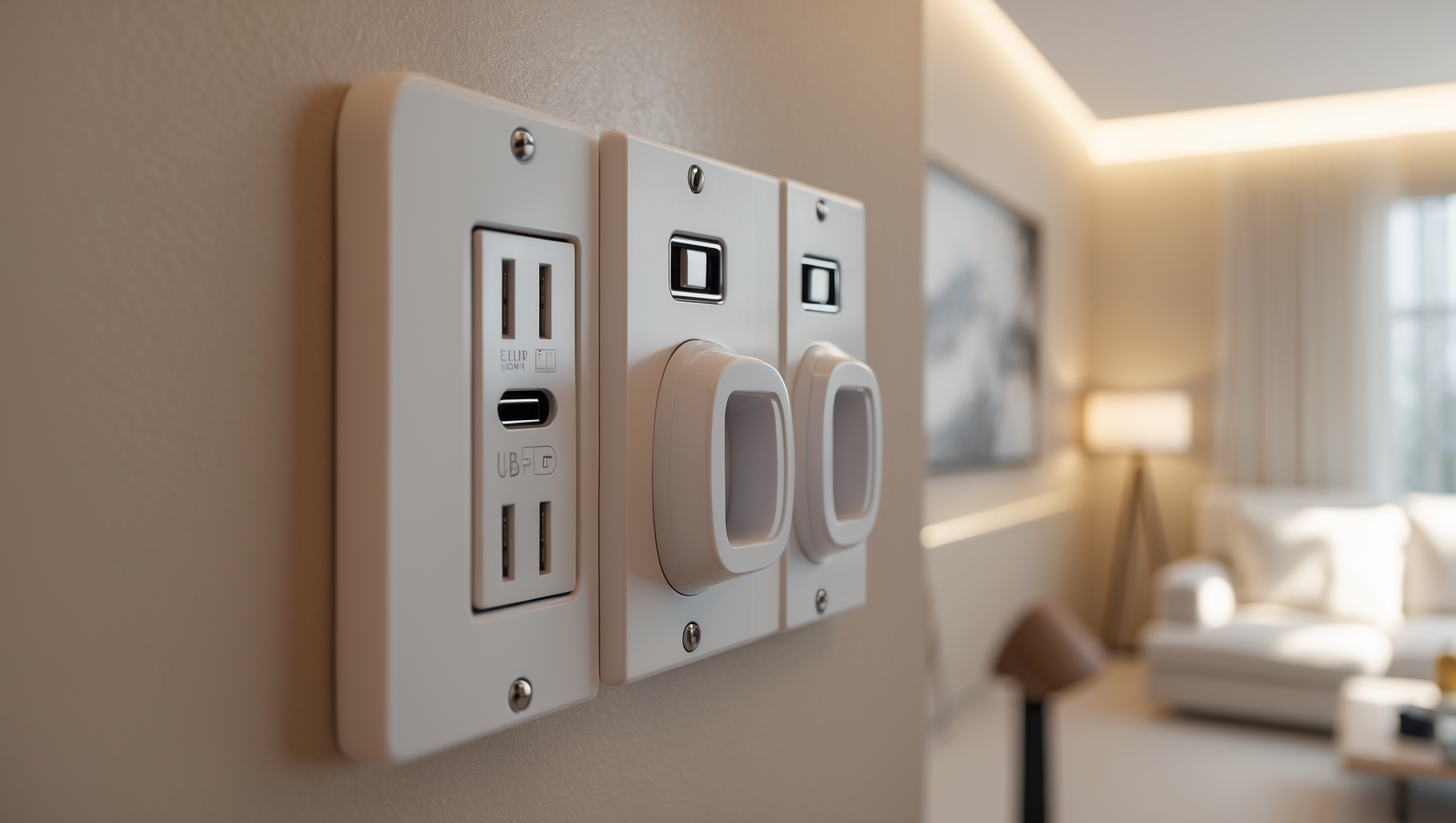
Introduction: Why Modernize Your Home’s Electrical Outlets?
In today’s technology-driven homes, electrical outlets are more than just points to plug in a lamp or charge a phone—they’re the backbone of convenience, safety, and adaptability for modern living. As our reliance on smart devices, high-powered appliances, and constant connectivity grows, outdated outlets can quickly become a source of frustration and, more importantly, a genuine safety hazard. Many older homes still operate with original, ungrounded, or insufficiently rated receptacles, increasing the risk of electrical fires, shocks, and tripped breakers. Upgrading your electrical outlets not only boosts safety and code compliance but can also add valuable features like USB charging, surge protection, and tamper resistance. Whether you aim to future-proof your home or simply want to avoid the hassle of tangled extension cords, understanding how to plan, budget, and execute an outlet upgrade is a practical step every homeowner should consider. This comprehensive guide will walk you through the process: from evaluating your current setup and mapping a cost-effective upgrade plan, to performing essential safety checks and understanding when to call in the pros. Let’s make your home safer, smarter, and ready for today’s demands.
Assessing Your Current Electrical Outlets
Inventory: What Outlets Do You Have?
Begin by walking through your home and making a detailed inventory of all electrical outlets. Identify:
- Two-prong (ungrounded) vs. three-prong (grounded) outlets
- GFCI (Ground Fault Circuit Interrupter) outlets, typically found in kitchens, bathrooms, laundry rooms, garages, and outdoor areas
- Outlets with visible damage, discoloration, or looseness
- Outlets that feel warm or emit a buzzing sound
- Outlets located in high-traffic or high-use areas
This inventory will help you prioritize which outlets are most critical to upgrade based on safety and convenience.
Identifying Outdated or Unsafe Outlets
Look for these warning signs that an outlet needs immediate attention:
- Cracked or broken faceplates
- Loose outlets that move when plugging/unplugging devices
- Sparking or arcing when inserting plugs
- Outlets installed near water sources that lack GFCI protection
- Non-compliance with local electrical codes
Document these findings with photos or notes for reference when planning upgrades.
Modern Outlet Types and Their Benefits
Tamper-Resistant Outlets (TR)
Required by code in new construction and renovations, TR outlets have built-in shutters to prevent foreign objects from being inserted. This feature is especially important for homes with children.
GFCI Outlets
GFCI outlets quickly cut off power if a ground fault is detected, preventing electric shocks. These are essential in areas with potential water exposure. Modern GFCI receptacles also include indicator lights for easy troubleshooting.
AFCI Outlets (Arc Fault Circuit Interrupter)
AFCI outlets detect dangerous electrical arcs that could cause fires. Some local codes now require AFCI protection in bedrooms, living rooms, and other living spaces.
USB and Smart Outlets
Outlets with built-in USB ports allow for direct device charging, eliminating the need for bulky adapters. Smart outlets can be controlled remotely via apps or voice assistants, adding convenience and energy savings.
Surge-Protected Outlets
These outlets protect sensitive electronics from voltage spikes caused by lightning or power surges. They’re particularly useful for home offices, entertainment centers, and kitchen appliances.
Budgeting: What Does an Outlet Upgrade Cost?
Material Costs
- Standard TR Outlet: $2–$5 each
- GFCI Outlet: $15–$25 each
- AFCI Outlet: $25–$35 each
- USB Outlet: $20–$40 each
- Smart Outlet: $30–$60 each
- Surge-Protected Outlet: $25–$45 each
- Wall plates and accessories: $1–$5 each
These prices can vary by brand, feature set, and retailer. Factor in at least 10% extra for unexpected needs.
Labor Costs
If you hire a licensed electrician, expect to pay $80–$150 per hour, with a minimum service call fee. The average cost to replace a standard outlet is $100–$150, while specialty outlets (GFCI, AFCI, USB, smart) may run $150–$250 each, including labor.
DIY vs. Pro: Where to Draw the Line
- DIY: Replacing standard outlets in accessible areas with the power off, using proper safety precautions. Budget for a voltage tester and basic tools if you don’t already have them.
- Professional Required: Any work involving new wiring, AFCI or GFCI circuit installation, or upgrades in older homes with unknown wiring conditions.
Always prioritize safety and code compliance over cost savings. Improper installation can void insurance or create fire hazards.
Essential Tools and Equipment
- Non-contact voltage tester
- Screwdrivers (flathead and Phillips)
- Needle-nose pliers
- Wire strippers/cutters
- Flashlight or headlamp
- Outlet tester (for GFCI and standard outlets)
- Wire nuts and electrical tape
- Sturdy stepladder (if needed)
Gather all tools before starting. Use insulated tools for extra safety.
Step-by-Step Guide: Replacing an Outlet Safely
1. Turn Off the Power
Go to your electrical panel and turn off the circuit breaker that controls the outlet you’ll be working on. Confirm the power is off by using a non-contact voltage tester at the outlet.
2. Remove the Old Outlet
- Unscrew and remove the wall plate.
- Unscrew the outlet from the electrical box.
- Gently pull the outlet out, exposing the wiring.
3. Inspect the Wiring
Check for frayed, loose, or discolored wires. If you see any issues, stop and consult a licensed electrician. Ensure wires are long enough to attach securely to the new outlet.
4. Disconnect and Prepare Wires
- Note the wire configuration (take a photo for reference).
- Loosen terminal screws and remove wires from the old outlet.
- Use wire strippers to clean and expose about 3/4″ of copper if needed.
5. Connect the New Outlet
- Attach black (hot) wire to the brass screw.
- Attach white (neutral) wire to the silver screw.
- Attach bare or green (ground) wire to the green screw.
- Tighten screws firmly; ensure wires are secure.
6. Secure and Test
- Carefully fold wires back into the box and mount the new outlet.
- Replace and secure the wall plate.
- Turn the power back on at the panel.
- Test the outlet with an outlet tester to confirm proper wiring and grounding.
Safety Checklist for Every Upgrade
- Always verify the power is off before touching any wiring.
- Use GFCI outlets in all locations near water sources.
- Upgrade to tamper-resistant (TR) outlets in all living spaces, especially if children are present.
- Replace any outlet that shows signs of overheating or arcing.
- Do not daisy-chain or overload outlets—use only one device per receptacle unless it is rated for multiple devices.
- Label your electrical panel breakers for future reference.
- Check outlet tester readings—if you see “open ground” or “reverse polarity,” consult an electrician.
Permit and Code Compliance Essentials
Many cities require permits for significant electrical changes, including new wiring, adding circuits, or installing AFCI/GFCI protection. Always check with your local building department before starting. Proper permitting ensures work is up to code and protects your home insurance coverage.
Key code requirements include:
- GFCI outlets in kitchens, bathrooms, laundry, garages, unfinished basements, and outdoors
- TR outlets in all new or renovated spaces
- AFCI protection in bedrooms, living rooms, and other living areas in newer homes
- Correct outlet spacing: no point along a wall more than 6 feet from an outlet in most rooms
If your home is older, consider a professional inspection to identify code violations or outdated wiring.
Insurance Considerations
Upgrading electrical outlets can positively affect your homeowner’s insurance, as it reduces fire risk and demonstrates proactive property maintenance. However, insurance claims can be denied if non-permitted or improperly installed electrical work leads to a loss. Always:
- Keep receipts and documentation of outlet upgrades
- Hire licensed professionals for complex or whole-house projects
- Update your insurance agent about major electrical upgrades
Some insurers offer discounts for safety upgrades—ask about possible savings.
Maintenance: Keeping Outlets Safe and Functional
- Test GFCI outlets monthly using the built-in test/reset buttons
- Periodically check all outlets for looseness or heat build-up
- Vacuum dust and debris from outlets, especially in kitchens and workshops
- Avoid plugging high-wattage appliances into the same outlet or circuit
- Replace outlets immediately if you notice any burning smell or discoloration
Preventive maintenance prolongs outlet life and helps avoid costly repairs.
When to Call a Professional
While outlet replacement is a feasible DIY project for many homeowners, certain situations demand professional expertise, including:
- Homes with aluminum wiring
- Frequent breaker trips or blown fuses
- Unknown or confusing wiring configurations
- Adding new circuits or outlets
- Any signs of electrical damage or previous DIY work
A licensed electrician will ensure code compliance, safety, and peace of mind.
Conclusion: Empower Your Home for the Future
Upgrading your home’s electrical outlets is one of the most impactful—and often overlooked—improvements you can make for safety, convenience, and modern living. By taking inventory of your current outlets, understanding the benefits of modern options like GFCI, AFCI, USB, and tamper-resistant models, and carefully planning your budget, you can create a safer, more functional space for your family. Remember, electrical work is not an area to cut corners: prioritize quality materials, follow best practices, and never hesitate to consult a licensed electrician for complex tasks or code compliance. The rewards are immediate—fewer extension cords, faster charging, peace of mind with each plug-in, and even potential savings on your homeowner’s insurance. With regular safety checks and smart upgrades, your outlets will serve your needs for years to come. Take the next step today: walk your home, make a plan, and invest in electrical upgrades that truly power the way you live.
I noticed you mentioned making an inventory of two-prong versus three-prong outlets. If my house still has mostly two-prong outlets, is it necessary to rewire the whole circuit to upgrade to three-prong ones, or can I just swap the outlets themselves?
If your house mostly has two-prong outlets, swapping them for three-prong outlets without addressing grounding is not safe or up to code. True three-prong outlets require a ground wire. If your wiring lacks a ground, you’d typically need to rewire the circuit or install GFCI outlets as an alternative, which offer added protection but aren’t a substitute for proper grounding. Consulting a licensed electrician is the safest route.
How long does a typical whole-home outlet upgrade take for an average-sized older house, especially if some outlets show signs of damage or loose connections?
A whole-home outlet upgrade for an average-sized older house usually takes between two to four days. If some outlets are damaged or have loose connections, it may add extra time, as the electrician will need to repair or replace those outlets and ensure the wiring is safe. The exact timeline depends on the home’s size, accessibility, and the extent of any issues found during the process.
When budgeting for upgrading outlets, do you have any advice for estimating the total cost if I want to add features like USB charging or surge protection? I’m not sure how much these newer outlet types usually add to the project.
USB charging outlets typically cost $20–$40 each, while surge-protected outlets usually range from $25–$50 each, depending on the brand and features. In addition to the device cost, factor in electrician labor, which is often $50–$100 per outlet for installation. For a more accurate estimate, count all outlets you want upgraded, multiply by the chosen outlet cost, and add labor. Asking your electrician for a detailed quote based on your specific needs is also a good step.
After identifying some warm or buzzing outlets in my home, what’s the safest way for a DIYer to check whether these are urgent fire hazards or if they can wait until I budget for a full upgrade?
If you find outlets that are warm or buzzing, it’s safest to stop using them right away and turn off the circuit at your breaker panel. These signs can indicate a serious wiring issue or loose connections, which pose a fire risk. Even as a DIYer, avoid opening the outlet yourself unless you’re familiar with electrical work. Consider calling a licensed electrician promptly to inspect the outlets before deciding to wait or upgrade.
I live in an older house with a mix of two-prong and three-prong outlets. Is it typically more cost-effective to replace just the most-used outlets first, or should I plan to upgrade the entire house all at once for better safety?
Replacing the most-used outlets first is often more budget-friendly and immediately improves safety where it matters most. However, upgrading the entire house at once is safer overall, as it ensures all outlets are grounded and up to code. If cost is a concern, consider starting with essential areas, then planning a full upgrade when possible.
The article mentions older homes having ungrounded outlets. Is it always necessary to rewire for grounding when upgrading, or are there safe alternatives that still meet current electrical codes?
It’s not always necessary to fully rewire for grounding when upgrading older ungrounded outlets. One safe alternative allowed by many electrical codes is to replace them with GFCI outlets and label them as ‘No Equipment Ground.’ However, this may not be suitable for all situations, especially where grounding is needed for certain devices. Always check with a licensed electrician to ensure any upgrade meets your local code requirements.
When you mention prioritizing outlets that feel warm or emit a buzzing sound, does that always indicate a wiring problem, or could it simply be a sign of a device drawing too much current? How urgent is it to replace those compared to loose or visibly damaged outlets?
Outlets that feel warm or emit a buzzing sound usually point to a problem, which could be faulty wiring, a loose connection, or a device overloading the outlet. Even if a device is drawing too much current, it’s still a safety concern. These symptoms are just as urgent as loose or visibly damaged outlets—both can pose fire risks and should be checked and repaired or replaced by a qualified electrician as soon as possible.
After mapping out which outlets need upgrading, what’s a reasonable timeframe for completing a whole-home outlet replacement project, and are there efficiency tips to minimize disruption, especially if you need to coordinate with a professional electrician?
For a typical home, a full outlet replacement often takes 1–3 days, depending on the number of outlets and your electrician’s availability. To minimize disruption, schedule work room by room, move furniture in advance, and communicate with your electrician about your daily routines. If possible, arrange for the electrician to work while you’re out or in less-used areas first, which can help maintain your normal activities during the project.
The article suggests bringing in a pro for certain upgrades. At what point should a homeowner stop doing outlet replacements themselves and hire a licensed electrician instead?
Homeowners can usually handle basic outlet swaps if the wiring is straightforward and there’s no change in amperage or outlet type. However, you should hire a licensed electrician if you encounter aluminum wiring, want to add or move outlets, need GFCI or AFCI protection in new areas, or notice damaged wires. Also, if you’re uncertain about local codes or feel unsure at any point, it’s safest to call a professional.
When doing a walkthrough for the outlet inventory, do you have any tips for distinguishing between outlets that actually need replacing versus ones that just need tightening or new covers? Sometimes it’s tough to tell if a little warmth is harmless or a sign of a bigger problem.
A little warmth from an outlet can happen with heavy use, but if it feels hot or has scorch marks, replacing it is wise. Outlets that are loose or don’t grip plugs tightly may just need tightening or a new cover, but if plugs fall out easily or the outlet moves in the wall, replacement is safer. Always turn off the power before inspecting, and if you notice buzzing, crackling, or a burnt smell, replace the outlet right away.
When taking inventory of my outlets, if I find a few old two-prong outlets mixed with three-prong ones, is it safe to just upgrade the two-prong outlets individually, or should I consider rewiring entire circuits for proper grounding?
If you find two-prong outlets, it’s best not to simply swap them out for three-prong ones unless you’re sure the wiring is properly grounded. Two-prong outlets usually indicate an ungrounded circuit. For safety, consider having an electrician assess whether rewiring or adding proper grounding is needed for the whole circuit before upgrading. This will ensure that your new outlets are safe and up to code.
How long does a standard outlet upgrade project usually take in an average home, and should I expect to be without power in certain rooms for extended periods during the process?
A standard outlet upgrade in an average home usually takes a few hours to a full day, depending on how many outlets need replacing. You might experience power outages in specific rooms while work is happening there, but it’s uncommon to lose electricity throughout the whole house. Electricians typically restore power to each area once they’ve finished working in that space.
For someone with a typical older home, about how long does it usually take to upgrade all main outlets to current code, including adding GFCIs where needed? Is this something that could be done over a weekend, or does it take longer?
Upgrading all main outlets in an older home to current code—including adding GFCIs—usually takes longer than a weekend if you’re doing the whole house. For an average-sized home, expect the project to take 2 to 4 days, depending on the number of outlets and any complications (like old wiring). A professional electrician can move faster and ensure everything is safe and up to code.
Do you have any tips for estimating how much it might cost to upgrade all outlets in an average-sized home, especially if most of them are still the original two-prong types?
To estimate the cost of upgrading all outlets in an average-sized home with old two-prong types, start by counting the total outlets. Electricians typically charge per outlet—often between $75 and $150 each, including materials and labor. If your wiring needs grounding added, that can increase the price. For a ballpark figure, multiply the number of outlets by the per-outlet cost and add a contingency for potential wiring upgrades.
In the guide, you talk about performing safety checks and knowing when to call in a professional. What are the signs that I’ve hit the limit of what’s safe to DIY versus when to definitely hire an electrician?
If you notice flickering lights, frequent tripped breakers, buzzing sounds, burning smells, or outlets that are warm to the touch, it’s time to call a professional. Also, if any work involves new wiring, your main electrical panel, or you’re unsure about local electrical codes, it’s safest to hire a licensed electrician. Simple tasks like replacing cover plates or testing outlets are usually safe for DIY, but more complex or hazardous situations should always be left to the experts.
When you mention upgrading to outlets with features like USB charging and surge protection, do these upgrades require rewiring behind the walls, or can they be installed in the place of existing standard outlets without major electrical work?
Upgrading to outlets with features like USB charging or built-in surge protection typically does not require rewiring behind the walls. These outlets are designed to fit into standard electrical boxes, so in most cases, you can swap them in place of your existing outlets without major electrical work. However, always ensure the power is off before installation and consider consulting a licensed electrician if you’re unsure.
The article mentions adding features like USB charging and surge protection to outlets. Are there certain rooms where you recommend installing these upgraded outlets first for maximum convenience and safety?
Installing outlets with USB charging and surge protection is especially useful in areas where you frequently charge devices, such as bedrooms, home offices, and living rooms. Kitchens are also a great choice since many people charge phones or tablets there while cooking. For surge protection, consider high-value electronics zones like your home office or entertainment center, where sensitive equipment is plugged in. This way, you get both convenience and added safety where you need it most.
If I want to upgrade most of the two-prong ungrounded outlets in my 1970s house, how can I estimate the total cost and decide which ones are the most urgent to replace first?
To estimate the total cost, count the number of two-prong outlets you want to upgrade, then get a quote from a licensed electrician for parts and labor per outlet. Outlets in kitchens, bathrooms, and near water sources are usually the most urgent to replace for safety. Focus first on areas with heavy appliance use or where children are present.
When making the outlet inventory, how can I tell if an outlet is truly unsafe versus just outdated? For example, is having a slight discoloration always a problem, or are there bigger warning signs to look out for?
Discoloration on an outlet can be a warning sign, especially if it’s brown, black, or looks like burn marks, which could mean heat damage. However, if the outlet just looks old or slightly yellowed from age, that’s usually not hazardous. More serious warning signs include loose outlets, buzzing sounds, a burning smell, sparking, or outlets that feel warm to the touch. If you notice any of these, stop using the outlet and have it checked by an electrician.
The article talks about upgrading for USB charging and tamper resistance. Are there outlets that combine these features, or do I have to install different types for each upgrade? How much more expensive are those compared to standard replacements?
You can find outlets that combine both USB charging ports and tamper-resistant features in a single unit, so you don’t need to install separate types. These combo outlets are widely available. They do cost more than standard outlets—while a regular outlet might be a few dollars, combined USB tamper-resistant outlets typically range from $20 to $40 each, depending on the brand and features.
My outlets aren’t visibly damaged but sometimes feel a bit warm after use. According to your guide, how urgently should that be checked, and could it point to an underlying wiring issue?
If your outlets feel warm after use, it’s important to have them checked soon, even if there’s no visible damage. Warmth can signal an underlying wiring issue or that the outlet is overloaded, both of which can pose a safety risk. It’s best to stop using the outlet and consult a licensed electrician to inspect and address the problem to ensure your home’s safety.
We have a couple of outlets that feel slightly warm to the touch, but they still work. Should we stop using those immediately and call an electrician, or is there a basic check we can try first?
If an outlet feels warm, it’s a good idea to stop using it until you know it’s safe. Sometimes warmth can come from overloading the outlet or a loose connection. Try unplugging everything and see if it cools down. If it still feels warm when nothing is plugged in, or if you’re unsure, it’s best to have an electrician inspect it to prevent potential hazards.
You mentioned budgeting for an outlet upgrade, but what’s a ballpark figure I should expect per outlet if I want to add USB charging or tamper-resistant features in a small retail space?
For a small retail space, upgrading each outlet to include USB charging or tamper-resistant features typically costs between $40 and $100 per outlet. This range covers both the cost of the specialized outlet and basic professional installation. Prices can vary depending on your location and the electrician’s rates, so it’s a good idea to get a few quotes before starting.
For a small business run out of my home, what are the main safety and code differences I should be aware of compared to regular residential outlet upgrades?
When running a small business from home, electrical outlets may need to meet stricter safety and code requirements than standard residential upgrades. You may need dedicated circuits for equipment, GFCI or AFCI protection in certain areas, and possibly higher capacity outlets for specialized gear. It’s also important to ensure compliance with local codes, which could include inspection or permitting, depending on your business type and equipment load. Consulting a licensed electrician is recommended to ensure all requirements are met.
You mentioned adding outlets with USB charging and surge protection. Is it possible to swap out just a few key outlets for these features, or do you need to upgrade every outlet in a room for safety and consistency?
You can definitely upgrade just a few key outlets with USB charging and surge protection rather than replacing every outlet in the room. Many homeowners choose to add these upgraded outlets in high-traffic or convenient locations, like near beds, desks, or kitchen counters. There’s no safety requirement to update all outlets, but using tamper-resistant models is recommended for added safety, especially if there are children in the home.
The guide mentions that upgrading for code compliance is important. Are there particular safety checks or codes I should be aware of for outlets in bathrooms and kitchens, beyond just installing GFCIs?
Absolutely, bathrooms and kitchens have special requirements due to higher moisture levels. Besides GFCIs, outlets in these areas should generally be tamper-resistant and, in kitchens, spaced so no point along the countertop is more than 24 inches from an outlet. Outlets near sinks must be at least a certain distance away—typically 3 feet. Also, all wiring and boxes should be properly grounded and installed in accordance with the latest National Electrical Code (NEC) standards. Checking with your local building codes is always a good idea, as they can sometimes be even stricter.
For someone living in a historic home, are there any special considerations or potential complications when upgrading old electrical outlets to meet today’s code and safety standards?
In a historic home, upgrading electrical outlets often involves unique challenges. Older wiring systems may not be grounded or may use materials no longer considered safe, like knob-and-tube wiring. Outlets may need to be rewired completely, and walls might require careful access to avoid damaging historic features. Consulting a licensed electrician familiar with older homes is important to ensure upgrades are both safe and code-compliant.
If someone discovers multiple two-prong outlets during their walkthrough, is it possible to just swap those for three-prong outlets, or do the circuits usually need additional wiring for proper grounding?
Simply swapping two-prong outlets for three-prong ones is not safe unless the electrical wiring includes a grounding conductor. Two-prong outlets typically indicate an older wiring system without grounding. To upgrade safely, you’ll likely need an electrician to run new grounded wiring or install ground-fault circuit interrupter (GFCI) outlets as an alternative, following code requirements.
The article mentions ungrounded two-prong outlets as a safety hazard. If my house still has a few of those, is it possible to swap them out for grounded three-prong outlets myself, or does that always require professional rewiring?
If your outlets are still ungrounded two-prong types, simply replacing them with three-prong outlets isn’t safe unless there’s a proper ground wire present. Installing a three-prong outlet without grounding doesn’t fix the safety issue and may violate code. If there’s no ground wire in the box, you’ll need professional rewiring or other approved solutions like GFCI outlets for added protection. For true grounding, it’s best to consult a licensed electrician.
When budgeting for an outlet upgrade, are there certain areas of the house (like kitchens or bathrooms) that tend to be more expensive or challenging to update to meet code?
Yes, upgrading outlets in kitchens and bathrooms is typically more expensive and challenging. These areas require GFCI (Ground Fault Circuit Interrupter) outlets for safety, which cost more than standard outlets. Electricians may also need to ensure proper wiring, grounding, and spacing to meet code. Older homes can present additional challenges if wiring isn’t up to current standards, potentially increasing labor and material costs in these rooms compared to bedrooms or living areas.
After I’ve finished the outlet inventory and identified which ones are outdated, what are the next steps to ensure I follow electrical code requirements during the upgrade? Is this something a DIYer can handle, or should I always hire a professional?
Once you’ve identified outdated outlets, check local electrical codes for upgrade requirements—these often include using GFCIs in kitchens and bathrooms and tamper-resistant outlets in homes with children. Replacing outlets can be a DIY project if you have electrical experience and feel comfortable working safely, but if you’re unsure or if your home wiring is old or complex, it’s best to hire a licensed electrician to ensure everything is up to code.
How do I determine which outlets in my home really need GFCI installed? You mentioned kitchens and bathrooms, but are there less obvious spots I should be paying attention to, especially with kids in the house?
Besides kitchens and bathrooms, you should add GFCI outlets in laundry rooms, unfinished basements, garages, and any outdoor areas. Also, check for outlets near utility sinks or wet bars, and those in crawl spaces. If you have young children, consider adding GFCI protection anywhere water might be present or where spills are likely, such as playrooms with aquariums or craft spaces.
I have a few old outlets in my kitchen that don’t have a reset button like the ones in recent homes. Does this mean they’re not GFCI, and how important is it to upgrade these specific outlets first for safety?
If your kitchen outlets don’t have a reset button, they’re likely not GFCI outlets. GFCIs are important in kitchens because they protect against electrical shocks, especially around water. Upgrading these outlets should be a priority for safety, as modern codes require GFCI protection in kitchens. Consider replacing them soon or consult an electrician for proper installation.
When inventorying my outlets, I noticed a few of them feel slightly warm to the touch at times. Could this be an immediate safety concern, or is it normal for some outlets to feel warm after heavy use?
It’s normal for outlets to feel slightly warm if they’re powering appliances that use a lot of electricity, but they should never feel hot or stay warm when not in use. If the outlet is only slightly warm after heavy use and cools down afterward, it’s usually not urgent. However, if it’s frequently warm, hot, or you notice any discoloration or a burning smell, it’s important to stop using it and have a licensed electrician inspect it for safety reasons.
I’m curious about the typical timeframe for a whole-home outlet upgrade if I hire an electrician. For an average-sized house, is this usually a one-day project or does it require multiple visits?
For an average-sized home, upgrading all the electrical outlets typically takes more than one day. Most electricians will need two to three days to complete the job, depending on the number of outlets, the home’s layout, and any complications like hard-to-reach areas or outdated wiring. Some projects may require multiple visits if specialized outlets or permits are needed.
Is it possible to replace just the outdated two-prong outlets in an older home, or is it typically recommended to upgrade every outlet for safety, even if some are still grounded and seem to work fine?
You can replace just the outdated two-prong outlets with safer, grounded three-prong versions or GFCIs, especially in areas where you need them most. However, for overall safety, it’s wise to have an electrician assess all outlets. Even if some outlets appear grounded, wiring issues aren’t always visible, so a full check ensures your home’s electrical system is up to current code.
When creating an inventory of your outlets, how can I tell if a three-prong outlet is actually grounded properly or if it’s just a cosmetic upgrade from an old two-prong one?
To check if a three-prong outlet is properly grounded and not just a cosmetic update from a two-prong, you can use a simple outlet tester, which plugs into the outlet and indicates correct wiring and grounding. Alternatively, a multimeter can be used to test for voltage between the ground slot and a known ground source. If you’re unsure or find inconsistencies, it’s safest to have a licensed electrician inspect your outlets.
I’m trying to figure out a rough budget for upgrading my outlets, especially if I want to include USB charging and surge protection features. Are these upgrades expensive compared to standard outlets?
Adding USB charging and surge protection features will cost more than installing standard outlets, but the price difference is often reasonable. Standard outlets typically cost a few dollars each, while outlets with built-in USB ports or surge protection range from $15 to $40 per outlet. Factor in professional installation costs, which can vary based on your location and the number of outlets you upgrade.
Can you give a ballpark estimate of how much it might cost to upgrade a typical three-bedroom home’s outlets to include features like USB charging and surge protection, as mentioned in the article?
Upgrading the outlets in a standard three-bedroom home to include USB charging and built-in surge protection typically costs between $50 and $100 per outlet, including parts and professional installation. For a home with 15-20 outlets, the total cost would likely range from $750 to $2,000, depending on the number of upgraded outlets and local electrician rates.
If I find several two-prong or visibly damaged outlets during my inventory, is it safer to replace just those immediately or should I plan for a full home upgrade all at once?
If you find two-prong or damaged outlets, it’s important to replace those right away, as they can pose safety risks. However, if your home has several outdated outlets, planning a full upgrade can improve safety and convenience in the long run. Address immediate hazards now, then consider a whole-home update as your budget allows.
When budgeting for outlet upgrades throughout a home, what are some cost-saving strategies for balancing safety improvements like GFCI installations with added conveniences like tamper resistance?
To balance safety and convenience while staying on budget, consider prioritizing GFCI outlets in areas where they’re required, such as kitchens, bathrooms, and outdoors. For other rooms, you can install tamper-resistant outlets, which are generally less expensive. Grouping upgrades together may also reduce labor costs, and getting multiple quotes from electricians can help you find the best price without sacrificing safety.
With all the new options like USB charging or surge protection mentioned, are there specific brands or features you recommend for families with lots of devices and kids?
For families with many devices and kids, look for outlets with built-in USB ports and tamper-resistant features to boost safety. Brands like Leviton and Legrand are well regarded for reliability and often offer surge-protected outlets too. Choosing models with multiple USB ports or a combination of USB-A and USB-C helps future-proof your setup for newer devices.
How long does an upgrade project like this usually take for a typical older home, and is it the kind of thing a homeowner could do in a weekend or does it require professional scheduling?
Upgrading electrical outlets in an older home typically takes longer than a single weekend, especially if you’re updating multiple outlets or addressing wiring concerns. For most homes, you should allow several days and plan for professional scheduling, as this work often requires a licensed electrician to ensure everything meets current safety codes. Homeowners can usually handle small tasks like replacing covers, but full upgrades are best left to pros.
The article mentions making an inventory of my outlets. Once I’ve listed which outlets are ungrounded or damaged, what’s the best way to prioritize which ones to fix first for safety and compliance?
After you’ve listed your ungrounded or damaged outlets, start by prioritizing any outlets that are visibly damaged, have scorch marks, feel hot, or are in areas exposed to moisture (like kitchens and bathrooms). These pose the highest risk for shocks or fires. Next, address ungrounded outlets in spaces where you use major appliances or sensitive electronics, since proper grounding is important for both safety and equipment protection. Outlets in bedrooms and living spaces can follow. Addressing the riskiest spots first will help ensure your home is safer and more compliant.
About safety checks—how often should homeowners repeat this outlet inventory and inspection? Is it something you recommend doing every year, or only before a big upgrade?
It’s smart to do a full outlet inventory and inspection at least once a year, even if you aren’t planning any upgrades. Regular yearly checks help catch wear, loose connections, or early signs of overheating before they become problems. Of course, also inspect outlets before any major electrical upgrades or if you notice issues like sparking, discoloration, or outlets that feel warm.
If I want to do the safety check part myself but call in a pro for the upgrades, what steps should I definitely not attempt alone? Are there things a first-timer could safely handle without risking code violations or injury?
You should avoid opening outlet covers, rewiring, or making any changes to the electrical system yourself, as these can be risky and might violate electrical codes. As a first-timer, you can safely check for loose outlets, look for scorch marks, test outlets with a plug-in tester, and make sure outlet covers are intact. Leave any repairs, upgrades, or wiring work to a licensed electrician.
How do I know which outlets should be upgraded to GFCI in addition to just replacing outdated ones? Is there an easy way to figure out where they’re most needed beyond kitchens and bathrooms?
GFCI outlets are especially important anywhere there’s a risk of moisture, not just kitchens and bathrooms. Check for outlets near laundry areas, utility sinks, garages, unfinished basements, and outdoor locations. A good rule is: if water could be present, a GFCI is recommended. You can also look at your local building codes, which often specify exactly where GFCIs are required.
About the safety checks, when an outlet feels warm or emits a buzzing sound, is it safe to keep using it until an electrician can come, or should I stop using it immediately and shut off that circuit?
If an outlet feels warm or makes a buzzing sound, it’s important to stop using it right away. These signs can indicate a serious electrical issue, such as a loose connection or faulty wiring, which could lead to a fire hazard. Turn off power to that outlet at the breaker panel and avoid using it until a licensed electrician has inspected and repaired it.
The article mentions calling in professionals. At what point is it unsafe or not recommended to try replacing outlets myself, and are permits generally required for this kind of work in older homes?
It’s considered unsafe to replace outlets yourself if your home’s wiring is old, damaged, ungrounded, or if you find any signs of previous DIY work that doesn’t look up to code. In those cases, it’s best to hire a licensed electrician. Many areas do require permits for electrical work, especially in older homes, to ensure safety and compliance. Be sure to check your local building codes before starting any work.
You mentioned mapping out a cost-effective upgrade plan for outlets. Do you have any tips on budgeting for this type of project, especially when it comes to choosing between adding features like USB charging ports or just upgrading for safety?
When budgeting for an outlet upgrade, start by listing your priorities—safety or convenience features like USB ports. Upgrading for safety, such as installing GFCI or AFCI outlets, is essential in kitchens, bathrooms, and older rooms. For USB ports, focus on high-traffic areas like living rooms or the kitchen. Do upgrades in phases if needed to spread out costs, and get quotes from several electricians to compare prices. This approach helps balance safety upgrades with smart features while staying within budget.
Can you give a ballpark estimate of how much it costs to upgrade a typical three-bedroom house with grounded outlets, GFCIs, and maybe a few USB charging ones? I’m trying to figure out how to budget for this and if it makes sense to do it all at once or in phases.
For a typical three-bedroom house, upgrading to grounded outlets and installing GFCIs can range from $2,000 to $4,500, depending on local labor rates and the condition of your current wiring. Adding a few USB outlets may add about $50–$80 per location, including installation. Doing it all at once can be more cost-effective, but phasing the upgrades is fine if budget is a concern. Consulting an electrician for a detailed quote based on your home’s specifics is always a good idea.
When budgeting for an upgrade, do you have suggestions for prioritizing between adding USB charging outlets versus upgrading to GFCI safety outlets in older homes? I want both, but my budget is pretty limited.
In older homes, it’s generally best to prioritize upgrading to GFCI safety outlets first, especially in kitchens, bathrooms, and any area near water. GFCIs help prevent electrical shocks and improve overall safety. Once you’ve addressed those critical areas, you can add USB charging outlets where they’re most convenient, such as bedrooms or living rooms, as your budget allows.
Could you elaborate on what type of outlets should be prioritized for upgrading first if I find both ungrounded two-prong outlets and old GFCI outlets during my home inventory?
If you find both ungrounded two-prong outlets and old GFCI outlets, you should prioritize upgrading the ungrounded two-prong outlets first. These provide less protection against electrical shock and are not compatible with many modern devices. After addressing those, consider replacing old GFCI outlets if they are not functioning properly or outdated, since newer models offer improved safety features.
Can you explain a bit more about how to prioritize which outlets to upgrade first if I can’t afford to do them all at once? Should I start with the high-traffic areas or focus on the oldest outlets?
When deciding which outlets to upgrade first, it’s usually best to focus on high-traffic areas like kitchens, bathrooms, and living rooms, especially where you use major appliances or electronics. These outlets are more likely to see heavy use and pose more risk if outdated. If you notice any old or damaged outlets elsewhere—such as those that spark, feel warm, or are loose—prioritize those next for safety reasons.
If my house still has a mix of ungrounded two-prong outlets and newer three-prong ones, does that mean rewiring could be necessary, or are there safe upgrade options that avoid extensive electrical work?
Having both two-prong and three-prong outlets often means parts of your wiring may be outdated. Full rewiring isn’t always required; in some cases, you can upgrade two-prong outlets to GFCI outlets for added safety without extensive work. However, a licensed electrician should inspect your system to recommend the safest, code-compliant solution based on your home’s wiring.
The article talks about budgeting for upgrades, but what’s a realistic average cost per outlet if I hire a professional versus doing it myself, especially if I want features like USB charging built in?
Hiring a professional to upgrade standard outlets usually costs about $100 to $200 per outlet, depending on your location and the complexity of the job. If you want outlets with built-in USB charging, expect the price to be $120 to $250 each installed. Doing it yourself can lower costs to about $25 to $50 per outlet for materials, but make sure you’re comfortable with electrical work and local codes.
If I want to future-proof my home with smart or tamper-resistant outlets, does that require any special wiring upgrades, or can they usually be swapped in to replace whatever I already have?
Most smart or tamper-resistant outlets are designed to fit into the same electrical boxes and use the existing wiring found in modern homes. However, some smart outlets may require a neutral wire, which older homes sometimes lack. It’s a good idea to double-check your wiring before purchase, especially for smart outlets, and consult an electrician if you’re unsure about compatibility.
If I find an outlet that feels warm or buzzes, is that usually a wiring issue inside the outlet box, or could it be a bigger problem in the circuit? Should those be shut off immediately until inspected?
A warm or buzzing outlet can indicate a wiring issue inside the outlet box, but it could also signal a bigger problem elsewhere in the circuit, such as overloaded wiring or a failing breaker. For safety, it’s best to stop using the outlet and switch off its circuit at the breaker panel until a licensed electrician can inspect it. This helps prevent potential electrical fires or shocks.
If I find an outlet in my house that feels warm or buzzes, should I stop using it immediately, or can this be a sign of something minor? What are the first steps I should take before calling in a professional?
A warm or buzzing outlet is usually a sign of a serious electrical issue, not something minor. It’s safest to stop using the outlet right away and unplug any devices. You should also turn off power to that outlet at your circuit breaker. These steps help prevent potential fire hazards. Afterward, contact a licensed electrician to inspect and repair the outlet before using it again.
For someone renting an apartment, are there temporary solutions you’d recommend for adding features like USB charging or surge protection without making permanent changes to the outlets?
Yes, there are several temporary solutions perfect for renters. You can use plug-in USB wall adapters or power strips that include USB ports for easy charging. For surge protection, a surge protector power strip or a plug-in surge protector outlet can be used. These options don’t require any permanent installation and can be taken with you when you move.
The article talks about future-proofing with outlet upgrades. Are there particular types or brands of outlets that are best suited for handling the higher charging demands of smart home devices and larger appliances?
When upgrading outlets for higher charging demands, look for outlets rated for 20 amps instead of the standard 15 amps, especially in kitchens and living areas. Outlets with built-in USB-C ports are also helpful for smart devices. Brands like Leviton, Lutron, and Eaton are known for quality and reliability. Consider GFCI and AFCI outlets for added safety, especially in areas with heavy appliance use.
The article talks about outlets that feel warm or make buzzing sounds as warning signs. Is there a specific order I should tackle these unsafe outlets in, or should I just aim to replace them all as soon as possible?
It’s best to prioritize outlets that feel warm, make buzzing sounds, or show other signs of malfunction and stop using them immediately, as they can pose serious safety risks. Address these first, then consider inspecting or upgrading the rest as your budget and schedule allow. If you’re unsure, a licensed electrician can help identify which outlets need urgent attention.
I have several older two-prong outlets in my home. The article mentions that these can be a safety hazard, but what are the risks or code issues if I just keep using them with adapters? Is it always necessary to upgrade to three-prong outlets?
Using two-prong outlets with adapters can be risky because they lack a ground wire, which protects against electrical shock and equipment damage. While adapters might seem convenient, they don’t provide true grounding and can be a code violation if not properly bonded to ground. Upgrading to three-prong outlets with proper grounding is recommended for safety and to meet modern electrical codes, especially when remodeling or selling your home.
Does the article plan to cover how long a full-home outlet upgrade process typically takes, especially if I need to coordinate with an electrician and keep the disruption to a minimum?
The article doesn’t go into detail about how long a full-home outlet upgrade usually takes. However, as a general guide, the timeline can depend on factors like the size of your home and the condition of your existing wiring. Coordinating with an electrician in advance and planning for workroom by room can help minimize disruption. If you need more specific advice on timing, it might help to consult directly with a local professional.